
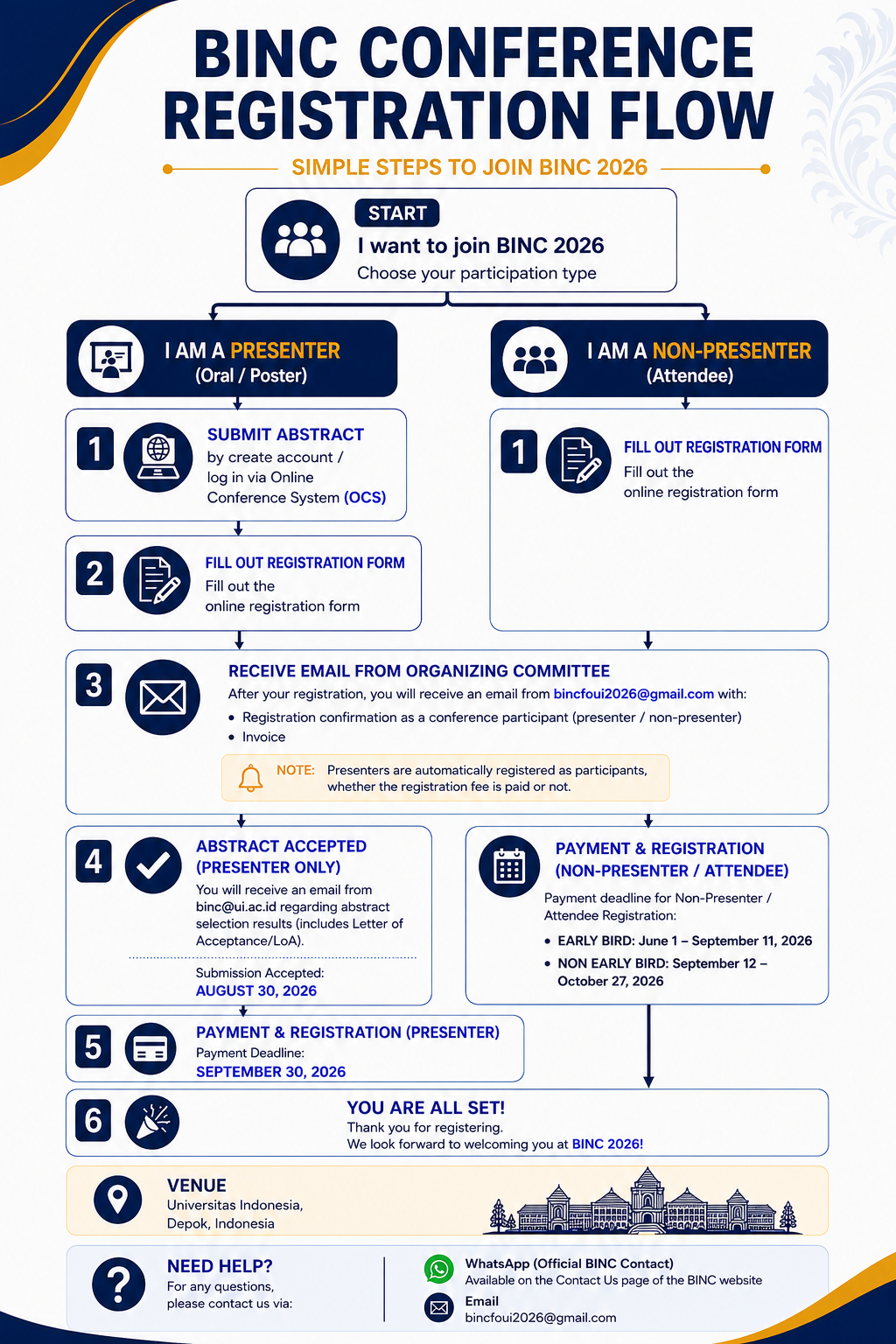
Step 1.1: create account
Need a Username/Password?
Go to Registration: klik https://conference.ui.ac.id/bincnursing/binc2026/user/account

Already have a Username/Password for BINC
Go to Login: klik https://conference.ui.ac.id/bincnursing/binc2026/login

Registration and login are required to submit items online and to check the status of current submissions.
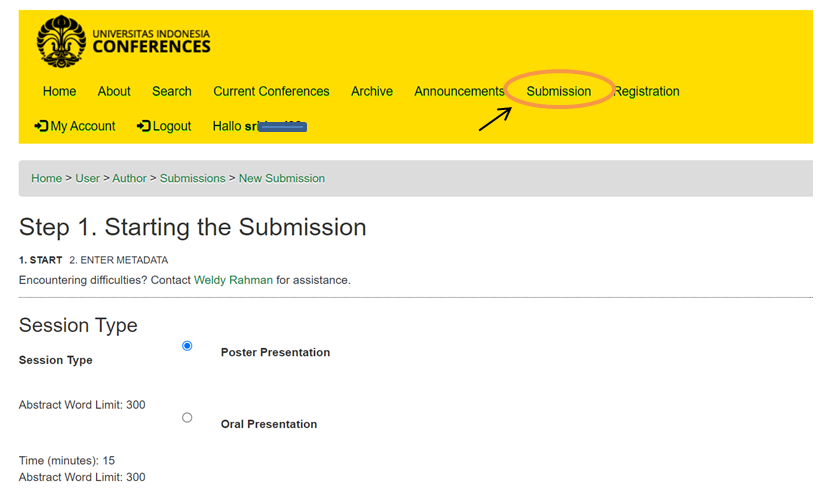
Step 1.2: submit abstract
Klik: http://conference.ui.ac.id/bincnursing/binc2026/author/submit
Step 2: Complete the Registration Form
After submitting your abstract, complete the online registration form https://bit.ly/Registration_BINCSARC2026 to provide your participant and registration details.
This step is required for presenters because abstract submission and conference registration are separate processes.
Step 3: Receive Registration Email & Invoice
After completing the registration form, you will receive an email from the BINC 2026 Organizing Committee at bincfoui2026@gmail.com
containing: Registration confirmation as a BINC 2026 participant and Registration invoice
Important: All presenters are automatically considered conference participants, regardless of the outcome of their abstract submission.
Step 4: Wait for Abstract Acceptance
Abstract selection results will be communicated by email from binc@ui.ac.id.
If your abstract is accepted, you will receive an Acceptance Notification / Letter of Acceptance (LoA).
Submission Acceptance: August 30, 2026
Step 5: Complete Presenter Payment & Registration
Once your abstract has been accepted, complete the presenter registration payment according to the invoice provided.
Presenter Payment Deadline: September 30, 2026
Please make your payment through the following account:
Bank name : Bank Negara Indonesia-PT
Address of Bank : Jakarta
Branch : UI Depok
Account name : UI – FIK – NON BP
Bank Account Number : 8-991-0012-717-01018
SWIFT CODE : BNINIDJAUID
Upload your proof of payment ⟶ https://bit.ly/ProofOfPayment_BINCSARC2026
Step 6: You Are All Set!
Once your presenter registration and payment requirements have been completed, you are ready to participate in BINC 2026.